
Capture
Dictate, record meetings and open files.
For your voice, files and everyday tasks
Dictate, translate and work with files — on your own Mac.
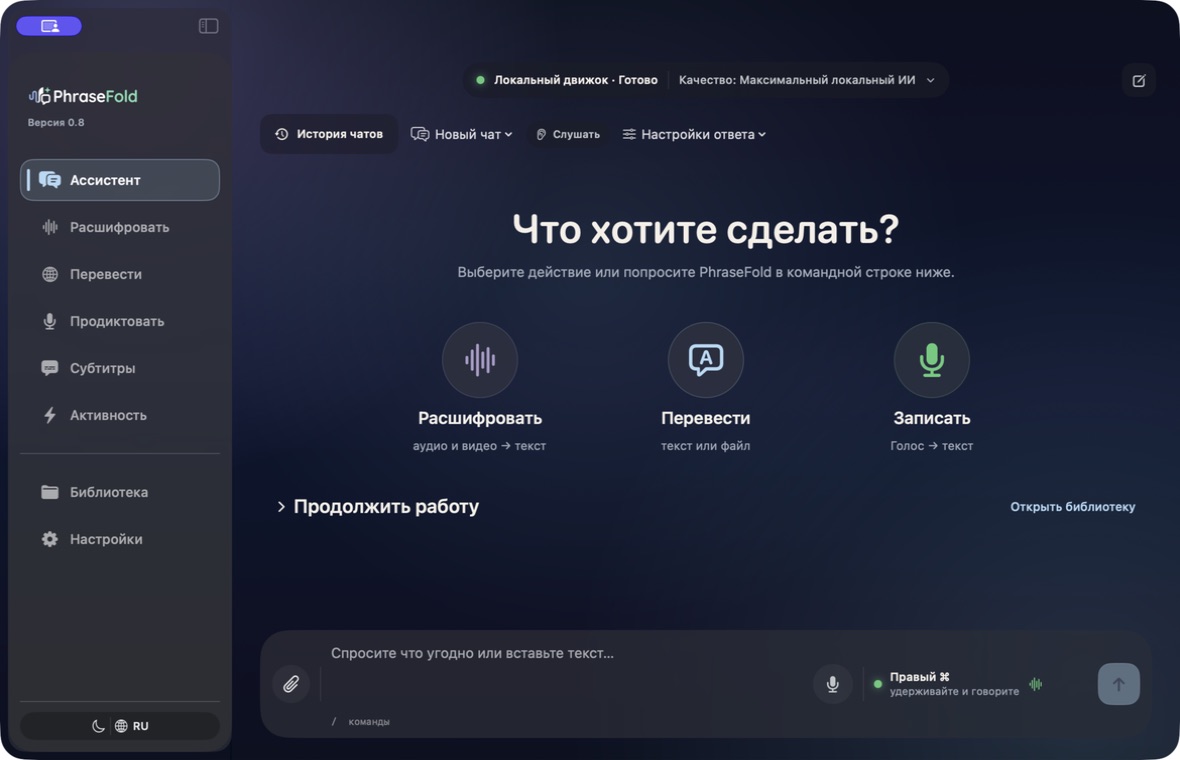
Dictate, record meetings and open files.
Get a transcript, translation or summary. Ask the assistant to help with a task.
Results stay on your device. Use them in your own apps.
Everyday tasks
“Translate this recording into English and make subtitles.” PhraseFold shows its progress and saves the result.
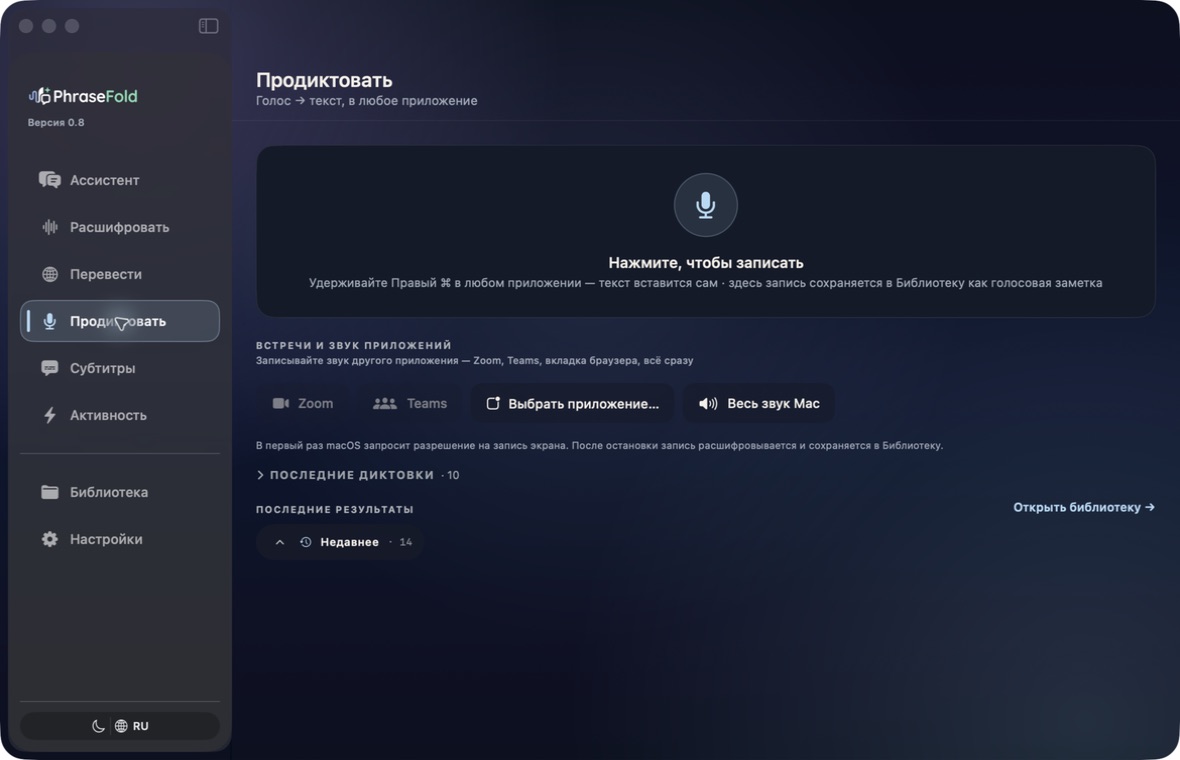
Speak and the text appears where your cursor is.
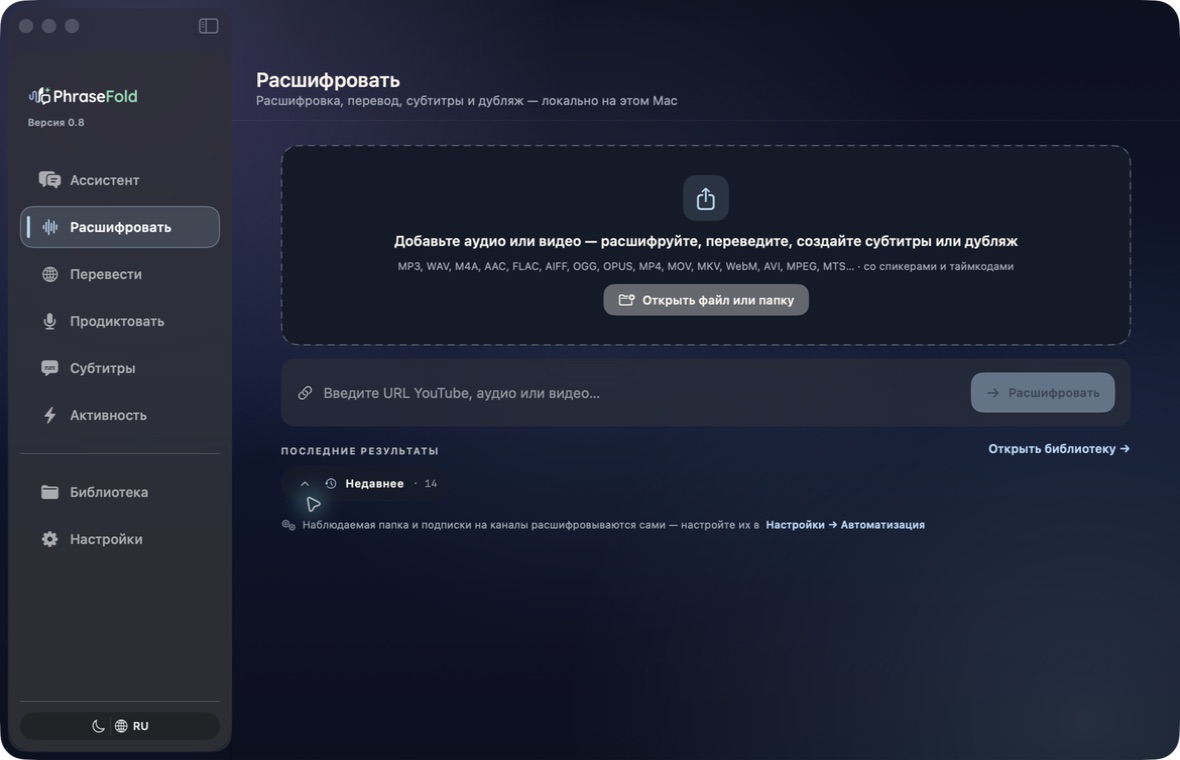
Open a meeting, interview or video. Get a transcript you can save and check.
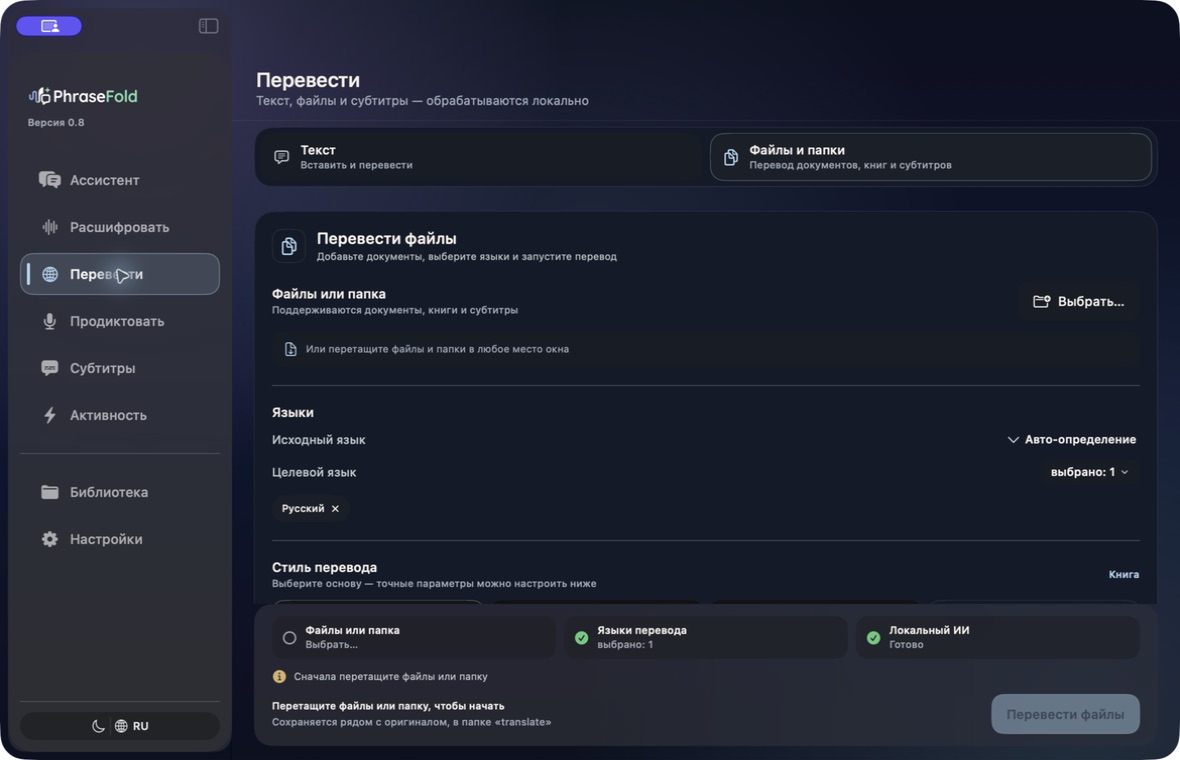
Translate phrases, documents and books. Pick up a large file where you left off.
Hear articles, documents and assistant answers read aloud.
Create, review and translate subtitles. Save them as a separate file.
Ask questions about a recording or document. Get explanations, summaries and task lists.
BOOKS AND DOCUMENTS · RIGHT IN CHAT
“How often do «война» and «мир» appear? Now include all word forms.”
Attach a book or document and ask in your own words. AI chooses the task: count words, find quotes or analyze the material. Change the conditions with your next message, without switching modes.
Control it in plain language
Exact spelling or word forms, custom variants, exclusions and search scope: you set the rules. The answer shows the conditions used. Automatic word-form matching currently supports Russian.
Need more than a count? Collect quotes with context, add notes, compare sources and save your results.
Processed on your Mac. A new attachment becomes the source for your question; follow-ups continue the current task.
Your requestHow often do «война» and «мир» appear? Exact spelling only.
Assistant
Exact spelling · case ignored
Your requestNow include all word forms.
Follow-up on the same document
Word forms · case ignored
Your requestNow only chapter one. Exclude «мира».
Conditions for the next request
Change the task. Keep the context.
Privacy
In local mode, your Mac processes your files. You do not need to send recordings, documents or requests to an AI service.
You do not need to send recordings, documents or prompts to an AI service.
History and results are stored on your Mac. Protect your computer and keep backups: local processing does not replace them.
Download the tools you need once. Then work locally.
Download the tools you need first. Then you can process files on your Mac without internet. New downloads, updates, links and search still need a connection.
For example, search, new downloads or an external AI you connect.
Search sends your query to a search provider. External AI you connect receives the requests and attachments you select. Update checks and technical reports depend on your settings. Purchases need email; the bank handles card details.
PHRASEFOLD FOR IPHONE
Capture a thought now. Send a task to your Mac when you reconnect.
A test version through TestFlight — not an App Store release.
Record an idea, ask for a short translation or ask about a document — right on your iPhone.
Your recording and history stay on iPhone.
Process on iPhone or send a supported task to your own Mac.
The result appears on iPhone. Mac tasks wait in the queue until connected.
For example: dictate a meeting plan → ask for a to-do list → keep the result on your phone.
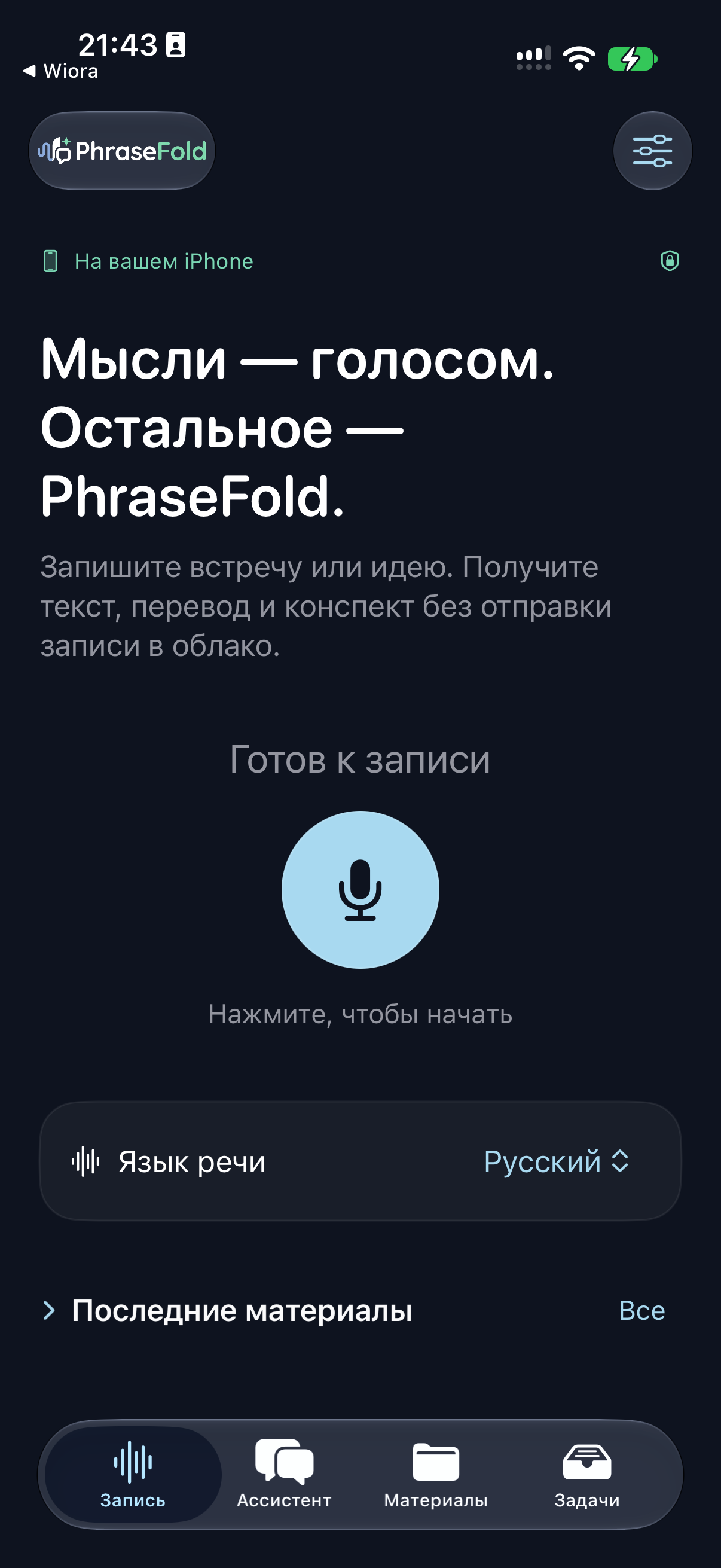
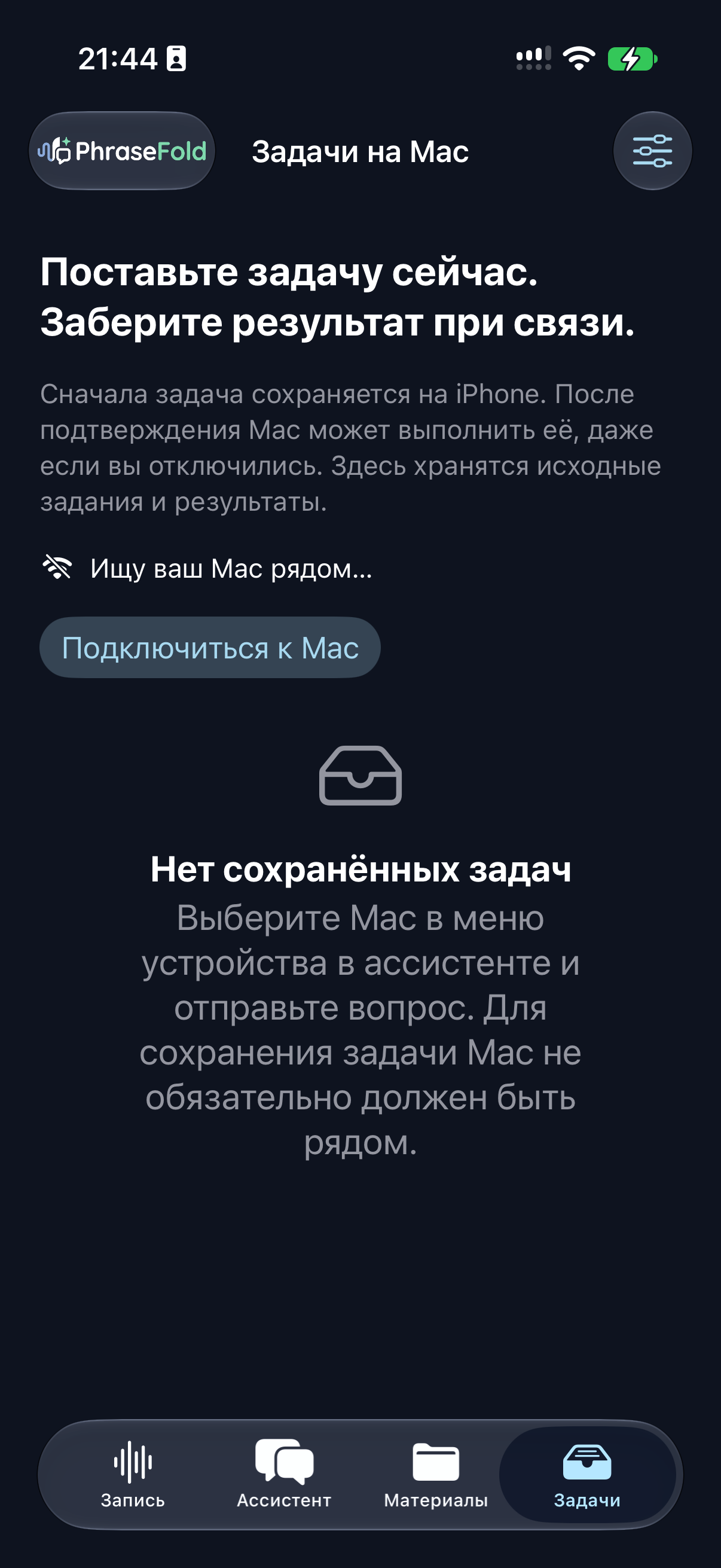
Screenshots show the Russian interface. Select one to enlarge it.
IPHONE
IPHONE → MAC
Site prices cover Mac. iPhone terms are separate; a Mac licence does not guarantee access to the mobile version.
Open TestFlight → PhraseFold → Send Beta Feedback. Tell us what feels awkward or missing. For an issue, include the steps, expected and actual results, your iPhone model and iOS version.
In TestFlight, Apple automatically shares crash and usage data with the developer. Do not send private files or pairing codes; check screenshots before submitting.
Versions and prices
Both paid versions include the same features. Only their update terms differ.
Pay less while the app is in beta. New licences will cost more after beta.
Checking payment availability… You can get the free version now.
Free
0 ₽no expiry
Mac with M1 or newer · macOS 14+
PhraseFold
BETA PRICE
4,900 ₽one payment
After beta: 6,900 ₽ · save 2,000 ₽ now
After year one, update renewal is optional at RUB 3,900 per year.
PhraseFold Studio
BETA PRICE
9,900 ₽one payment
After beta: 14,900 ₽ · save 5,000 ₽ now
Keep using your purchased version without renewing, as long as it is compatible with your Mac. Future major versions, extra packs and services may cost separately.
Enter your email. The download starts after you submit the form. No card or account needed.
Mac with M1 or newer · macOS 14+
| Feature | What it does | Where to find it | Editions |
|---|---|---|---|
| Dictation | Speak in any app — the text lands where your cursor is | Sidebar → Dictate; the hotkey works over any app | Free · PhraseFold · Studio |
| File transcription | Audio or video from disk becomes text with timestamps | Home → Transcribe → drop a file | Free · PhraseFold · Studio |
| Phrase translation | Short text is translated locally in the app | Home → Translate → Text | PhraseFold · Studio |
| Transcribe from a link | Paste a video or podcast link and get the text, with no manual download | Home → From a link | PhraseFold · Studio |
| Batch processing | Queue dozens of files and walk away — the transcripts pile up on their own | Transcribe → add several files to the queue | PhraseFold · Studio |
| Who is speaking | Lines are split by speaker, so you see who said what | Transcribe → Options → Split by speaker | PhraseFold · Studio |
| Listen Mode | The Mac listens to a meeting or lecture and writes the text live | Assistant → Listen | PhraseFold · Studio |
| Meeting briefs | From a recording you get decisions, tasks and who owns what | Library → open a recording → Brief | PhraseFold · Studio |
| Action-chain assistant | One command starts transcription, translation, speech and saving the result | Home → Assistant | PhraseFold · Studio |
| Comments under a video | Downloads the whole discussion so you can work through it as text | From a link → Video → Comments | PhraseFold · Studio |
| Channels and playlists | A whole channel or playlist goes through as a single job | From a link → Channel or playlist | PhraseFold · Studio |
| Document and book translation | A file is translated whole, keeping its structure | Home → Translate → File | PhraseFold · Studio |
| Subtitles | Edit, translate and save SRT; floating subtitles stay above other windows | Sidebar → Subtitles | PhraseFold · Studio |
| Dubbing | Voices the translation aloud — an experimental feature | Subtitles → Dubbing | PhraseFold · Studio |
| Questions about your material | Ask a recording or document and get an answer that points at the passage | Library → open material → Ask the assistant | PhraseFold · Studio |
| Read aloud | Reads articles, documents and assistant answers aloud on this Mac | Assistant → ask to read text aloud | PhraseFold · Studio |
| Library and search | Keeps recordings, text and translations together and finds them by meaning | Sidebar → Library | PhraseFold · Studio |
| Watched folders | New files in a chosen folder automatically enter the right workflow | Settings → Automation → Watched folders | PhraseFold · Studio |
| Files, folders and tables | The assistant reads folders, assembles documents and fills tables on command | Assistant → command with a folder, file or table path | PhraseFold · Studio |
Transcription — 25 languages: English, Russian, Spanish, German, French, Italian, Portuguese, Dutch, Polish, Ukrainian, Turkish, Czech, Slovak, Hungarian, Romanian, Swedish, Danish, Norwegian, Finnish, Croatian, Bulgarian, Greek, Lithuanian, Latvian and Estonian. Translation — 15 languages: English, Russian, Spanish, French, German, Italian, Portuguese, Dutch, Polish, Turkish, Chinese, Japanese, Korean, Ukrainian and Arabic.
USE YOUR OWN NUMBERS
Enter your spending on subscriptions you can replace. The amount stays only in your browser.
12 × monthly spending − licence price. A cost comparison, not guaranteed savings. Excludes your Mac, electricity and optional future updates. Test your tasks before cancelling subscriptions.
See what is includedThe essentials
Yes, after setup and the required downloads. On your Mac, you can dictate, transcribe, translate, hear text read aloud and use the assistant. New downloads, links, search, updates and external AI you connect still need internet.
Audio, video, TXT, SRT, DOCX, PDF and EPUB. Support depends on the task and installed tools. Protected, damaged or complex files may need preparation. Check complex layouts and text from scans.
Free includes dictation and basic local-file transcription. Both PhraseFold and Studio unlock phrase and document translation and the other paid features. PhraseFold includes one year of updates; Studio terms and possible separate prices for future major versions, packs and services are described in the update policy.
No. Keep using your purchased version without renewal while it is compatible with your Mac. PhraseFold includes one year of updates; later renewal is optional at RUB 3,900 per year. Studio’s included updates need no annual renewal. Future major versions, packs and online services may cost extra.
Not necessarily. Test your own tasks on your Mac first: dictation, recordings and translation. You may still need cloud services for some tasks.
Choose a feature to see how to use it and what its limits are.
Where to find it:Sidebar → Dictate; the hotkey works over any app
Works on top of any app: mail, notes, chat, a search field. While the key is held the app listens to the microphone; release it and the finished text is inserted into the active field.
Where to find it:Home → Transcribe; links and the queue live on the same screen
Drop a file in — the app recognises the speech and files the result in your library: text, timestamps, export to TXT and SRT. The free tier works with files already on your computer.
Where to find it:Home → Translate → Text or File
Both paid licences include short-text, document and book translation. Local mode runs on your Mac; speed and quality depend on the pack, language and material. Check complex layouts, tables and scanned text.
Where to find it:Assistant → Listen
The app takes the system's own audio rather than the microphone: whatever plays on the Mac becomes running text. Useful on a call in a second language, in a lecture, or when you need the gist of a video fast.
Where to find it:Library → open a recording → Brief
On top of a meeting transcript the app builds a brief: the main topics, decisions and tasks. The full text stays beside it, so the summary can always be checked against what was actually said.
Where to find it:From a link → Video → Comments
Along with a video's text the app can save its comments as a separate file. Useful when the discussion carries more than the video does: corrections, links, reactions.
Where to find it:Home → Assistant
One sentence starts the whole chain: "transcribe the standup, translate it to English and build subtitles". Progress shows in the chat, results land in the library. The assistant answers from your material and can read its answer aloud.
Where to find it:From a link → Channel or playlist
Give a link to a channel, a playlist or a podcast feed — the app lists the episodes and transcribes them one after another into a single folder in your library.
Where to find it:Subtitles → Dubbing
Translated text can be spoken by a synthesised voice into an audio track. The feature is labelled experimental honestly: it works, but the quality depends on the material and the language.
Where to find it:Settings → Privacy and network
Recordings, transcripts, translations and history stay on this Mac. The app goes online in exactly these cases:
Where to find it:Settings → Models
On first launch the app looks at your Mac — chip, memory, free disk — and proposes a set of models to match. Nothing downloads until you agree; the list and the total size are shown first.
Where to find it:Settings → Licence and updates
Both paid versions have the same features and work on two Macs belonging to one owner. PhraseFold includes one year of updates. Studio does not require annual renewal for included updates.
How it works
Choose dictation, translation, read-aloud or an assistant. PhraseFold shows you what to install on your Mac.
Download and install
Download the Mac app. On first launch, it helps you install the tools you need.
Choose what you need
Before downloading, see what is already installed, what you need to add and how much space it will take.
Get to work
Dictate, translate and listen to text on your Mac — offline after setup.
VERSIONS AND UPDATES
The Mac update with task chats and iPhone pairing is available on this site. The iPhone beta is available through TestFlight. A compatible Mac version is required for pairing.
Mac · available now
Download for MaciPhone · TestFlight beta
Open in TestFlightSite prices cover Mac. iPhone terms are separate; a Mac licence does not guarantee access to the mobile version.
Ready to download · Developer signature · Apple notarization · SHA-256 d9f38c57e17d… · 101 MB · 0.8 (77)
Version published .
PhraseFold is made by GNEURO, Nikita Glukhov’s studio. About the creator


